
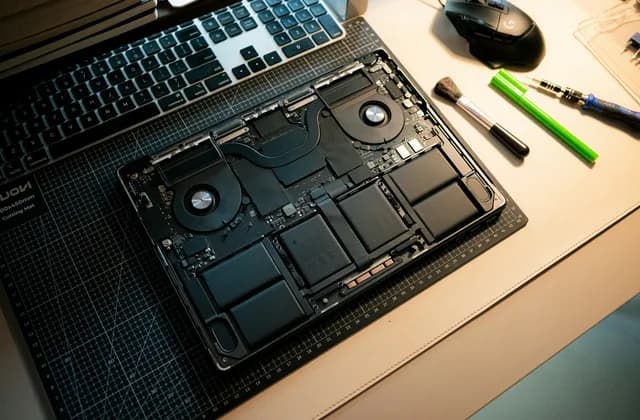
When a laptop will not charge, a screen cracks or a computer slows to a crawl, you usually need computer repair quickly. But handing over a device means handing over far more than hardware. Your photos, emails, work files and saved passwords are inside it. Choosing a repair shop is about the quality of the fix, and just as much about who gets near your data.
This guide is for people in the United States and the United Kingdom who need a computer or laptop repaired. It covers when a fix can be done at home and when it needs a workshop, warranty checks, what a written estimate should list, what sets the price, how to protect your data, and when a repair is not worth it. Where the rules differ between the two countries, there are separate notes.
Computer repair at home or at the bench
Not every fault needs the device to leave the house. Many technicians offer in-home or on-site visits for software problems, and send hardware work to a workbench where they have the right tools, parts and a clean, static-safe space.
| Problem | Where it is usually fixed | What to tell the technician |
|---|---|---|
| Slow computer, pop-ups, software errors | Often on site or remotely. | When it started, any recent updates or new programs. |
| Wi-Fi, printer or new device setup | Usually on site. | Router location, printer model type, how many devices. |
| Cracked or flickering screen | Usually at the bench. | How it happened, whether touch still works. |
| Will not charge, loose charging port | Usually at the bench. | Whether a different charger works, any burning smell. |
| Liquid spill | At the bench, as soon as possible. | What was spilled, when, and whether you turned it off. |
| Will not start, no display | Usually at the bench. | Any lights or sounds, and whether your files are backed up. |
After a liquid spill
Turn the device off and unplug it. Do not keep trying to switch it on to see whether it still works, because power running through wet components can turn a repairable fault into a dead board. Tell the repair shop exactly what was spilled. Water, coffee and sugary drinks behave differently, and the answer changes how they clean the board.
Check the warranty before anyone opens it
If your computer or laptop is still under the manufacturer’s warranty, or you bought an extended plan, read the terms before you book a repair. Go to the manufacturer or its authorized provider first. Some warranties and plans stop covering a device once a third party has opened it, so a cheap independent repair could cost you free cover.
If the warranty has ended, the fault is accidental damage that is not covered, or the authorized route is too slow for you, an independent repair shop is a reasonable choice. Ask the shop to note on the ticket that the device was outside warranty when it came in, if that matters to you.
How to choose a computer repair shop: US and UK
US: there is generally no state licence for computer repair. That means you judge a shop by what it puts in writing: a clear estimate, a warranty on both parts and labor, and reviews from real customers. Ask how long the warranty lasts and what it covers.
UK: the Consumer Rights Act 2015 says a service must be carried out with reasonable care and skill, and goods supplied as part of it, such as a new screen or battery, must be of satisfactory quality. If a repair is done carelessly or a part fails because it was poor quality, you can go back to the shop. Keep the receipt and the written estimate.
In both countries, a good repair shop will diagnose before it quotes, explain the fault in plain words, wait for your approval before starting work, and tell you if the price changes. Be careful with anyone who will not give an estimate in writing, wants your passwords without a reason, or pushes you to decide on the spot.
What the written estimate should list
Ask for the estimate in writing, by message or email, before work begins. It should say:
- The diagnosis fee, and whether it is taken off the repair price if you go ahead.
- The labor for the repair.
- Each part, and whether it is new original (OEM), compatible or aftermarket, or refurbished.
- The expected turnaround time, and what happens if a part has to be ordered.
- The warranty on parts and on labor, and how long each lasts.
- What happens to your data during the work.
- What you pay if you decide not to go ahead after the diagnosis.
When you leave the device, ask for a ticket or receipt that records the make, model and serial number, its visible condition, and any accessories you left with it, such as the charger. That protects you if anything goes missing or comes back damaged.
Posting a job on Hirovo is free. Describe the device, the fault, when it started and whether your files are backed up. Say if you prefer an on-site visit or can drop it off. Technicians nearby can apply or message you in the app. You compare them and decide.
Post a free job →Computer repair cost: what sets the price
A figure you find online cannot price your repair. Two laptops with the same symptom can have different faults. These are the items that move the number:
- Diagnosis: some faults are obvious, others take time to trace.
- Type of work: a software clean-up is not the same job as a screen, charging port or motherboard repair.
- The part: new original, compatible or refurbished parts differ in price and in warranty.
- The model: older or less common models can need parts that are harder to find.
- Liquid damage: cleaning a board and replacing corroded parts takes extra time.
- Data recovery: saving files from a failing drive is a separate, often slower job.
- Speed and location: urgent work, out-of-hours help and on-site visits are often priced differently from a standard bench repair.
Ask two or three shops for a written estimate for the same fault, with the same type of part, and compare them line by line.
Protect your data before you hand it over
Do this whenever the device still works:
- Back up first. Copy your files to an external drive or a cloud service you trust.
- Sign out of accounts you do not need for the repair, such as email, banking and shopping.
- Do not hand over passwords that are not needed. Ask why a password is required. Many hardware repairs can be done without one, or you can create a temporary guest account.
- Ask who will have access to the device and the data, and whether it stays on site.
- Remove what you can, such as memory cards and USB drives.
If you need your files back: say so before any work starts. Some fixes, such as replacing the drive or reinstalling the system, wipe everything. Ask the shop to confirm in writing what will be erased, and agree that they will contact you before doing anything that could delete your data.
Repair or replace?
Weigh the estimate against the age of the device, what it is worth today, and how you use it. A new battery, charging port or screen can keep a laptop useful for a good while. A major board repair on an old machine may cost more than it is worth, and other parts may fail next. A good repair shop will tell you honestly when a repair is not worth it. If you do replace the device, ask the shop whether it can move your files across or wipe the old drive securely.
Using a free Hirovo job post
Posting a job on Hirovo is free. Describe the device and the fault, choose your area, and repair technicians nearby can apply or message you. Hirovo is a global platform and the number of computer repair technicians registered in the US and UK is still small, so replies may take time or may not come at all. Use it alongside other ways of finding local services. Hirovo does not verify identity, insurance or reviews and is not an employer, agent or party to the work, so run the checks above on anyone who responds.
In short
Check the manufacturer’s warranty first. Choose a repair shop by its written estimate, its warranty on parts and labor, and how clearly it explains the fault. In the UK, the Consumer Rights Act 2015 backs you if the work or the parts fall short. Back up your data, sign out of accounts, keep your passwords unless they are truly needed, and say up front if saving your files is the priority. Get a ticket with the serial number, and ask honestly whether the repair is worth it.